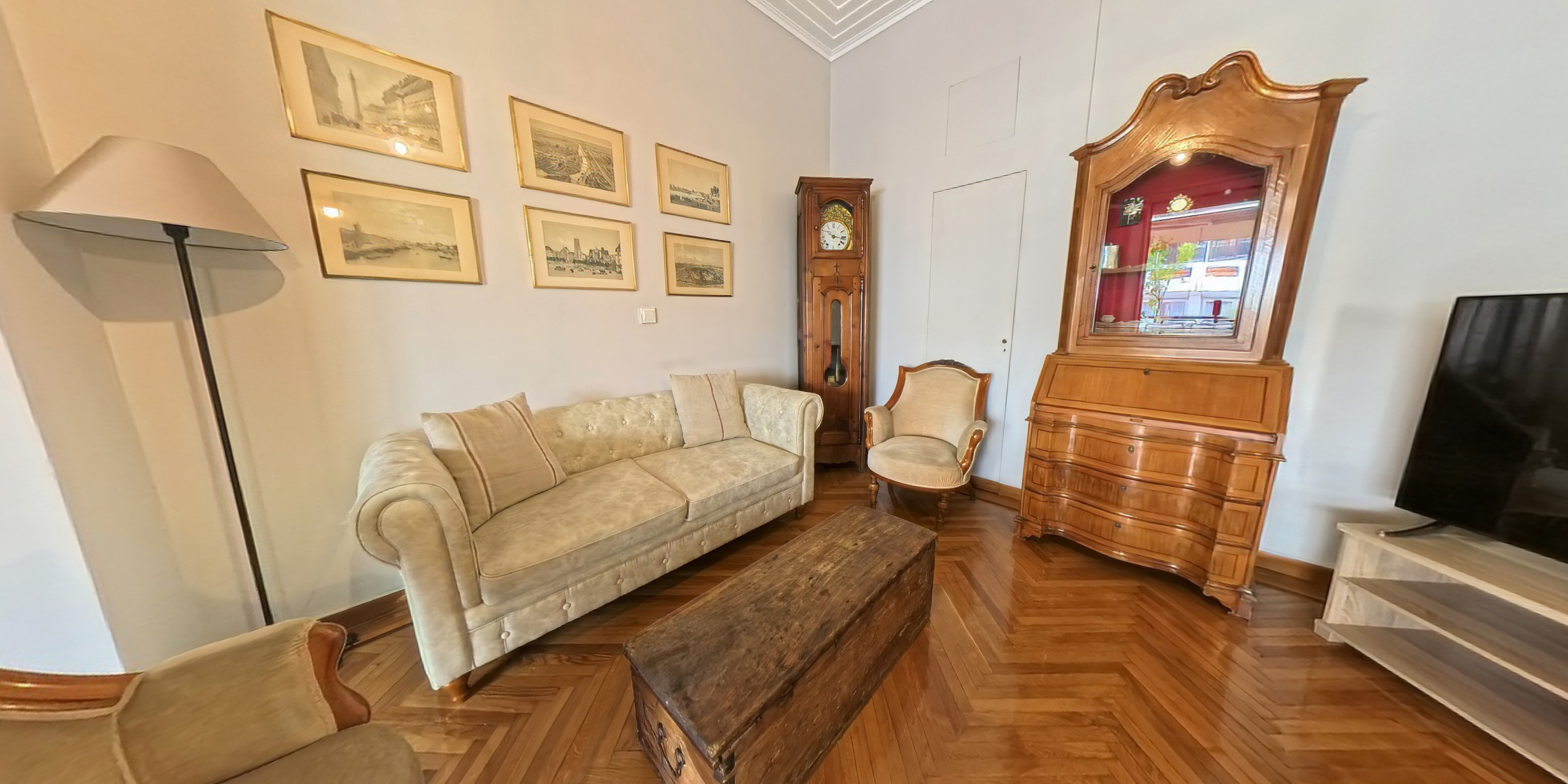
A short-term rental booking is made almost entirely on trust. The guest has never visited. They are committing to a property they have only seen in photographs — photographs shot with a wide-angle lens in flattering light on a clear day that do not reflect what it actually feels like to move through the space.
The gap between photo expectation and arrival reality is where most negative reviews, cancellation disputes, and repeat-booking failures originate. A virtual tour does not just add another marketing asset to your listing. It changes the quality of the booking itself — by ensuring the guest who commits has already explored the property and understood what they are booking.
Quick takeaways
- A virtual tour attracts better-qualified bookings — guests who commit having already explored the space arrive with accurate expectations and cancel less frequently
- For serviced apartment operators with multiple units, per-unit virtual tours enable accurate guest-to-property matching and reduce front-of-house friction at check-in
- Photography and virtual tours serve different jobs: photography drives the click; the tour converts the browser into a confident booking
Does Airbnb allow virtual tours?
Yes — with a caveat. The Airbnb platform does not currently let hosts embed an interactive tour inside the listing photo gallery itself (Matterport links once appeared natively; that integration is long gone, as is Airbnb's separate "online experiences" product). But nothing stops Airbnb hosts sharing a tour link in the listing description, and thousands do. VRBO and Booking.com behave the same way. So the practical question is not whether you can have an Airbnb virtual tour — it is how to connect potential guests to it with the least friction.
How to add a 360 virtual tour to your Airbnb listing: three placements that work
1. A short link in the listing description. Host the tour externally, then shorten the URL with Bitly or TinyURL so it survives retyping. Airbnb does not make links in descriptions clickable, so a clean short link matters — guests viewing the listing on desktop or in the mobile app copy it into a browser. Put it under "Other things to note" with plain wording: "View the virtual tour at bit.ly/yourproperty — guests can explore your space room by room before booking."
2. A QR code in the photo gallery. Generate a QR code that points directly to your virtual tour, place the downloaded QR code on a tidy graphic — over a panorama of the living room works well — and upload it as the final photo in the gallery with the caption "scan this code to take the 360° virtual tour". A guest comparing five listings on their phone can scan the QR code from a second screen in seconds. Adding the same QR code to the Airbnb welcome book inside the unit quietly markets the property to the next group every stay. This trick is borrowed from real estate marketing, and placement is everything: last photo, clear caption, no clutter.
3. Your direct booking website. On your own site there are no platform restrictions: embed the tour viewer in the page, where it consistently outperforms a passive video tour for time-on-page. Guests who arrive from the Airbnb listing to check the tour often discover they can book directly — and travellers who explore a space interactively are measurably more likely to book it.
Why it works: the benefits for Airbnb hosts
A 360 virtual tour upgrades the user experience of choosing: instead of decoding wide-angle photos, potential guests walk the property themselves. Hosts who add 360 virtual tours report the same pattern we see across hospitality — fewer "how big is it really?" questions, a better guest experience on arrival because expectations were accurate, and stronger reviews as a result. You can shoot a basic tour on a consumer 360 camera; for a premium listing, professional capture (and, for the curious, even a virtual reality walkthrough on a headset) is part of the quality signal. Either way, the tour you rent attention with should look as good as the property.
Why photography alone is insufficient
Holiday let and serviced apartment photography has become highly optimised for first impressions. Wide-angle lenses make rooms look larger. Careful staging hides storage constraints. Strategic cropping omits views that don't photograph well. These are industry-standard practices — and they work well for generating clicks.
The problem is the gap they create between expectation and experience. A guest who books a property believing it matches what the photos showed, and arrives to find it smaller or differently proportioned than expected, has a justified grievance. That grievance shows up in reviews, in refund requests, and in lower rebooking rates.
A virtual tour provides a spatially accurate representation of the property. The guest who completes the tour before booking has assessed ceiling heights, room transitions, the actual size of the living space, and the relationship between indoor and outdoor areas. The booking that results is qualitatively different from one made on photographs alone.
What guests assess differently with a virtual tour
Several aspects of a short-term rental are very difficult to communicate in still photography. Spatial flow: how the rooms connect, where the bedroom sits relative to the living area, whether the open-plan kitchen feels integrated or compartmentalised. These questions matter to different guest profiles in different ways — a family with young children needs different spatial logic from a couple on a long weekend.
Outdoor space: garden size, terrace aspect, and the relationship between indoor and outdoor living areas are notoriously difficult to photograph accurately. A virtual tour that includes exterior capture gives a spatially honest representation of what the outdoor space is actually like. Light and aspect: photography can be timed to maximise natural light. A virtual tour gives a more honest impression of how the space reads. Storage and practicalities: guests staying for more than a long weekend care about storage, workspace, and kitchen equipment — all assessable in a navigable tour before they book.
The commercial case: fewer cancellations, better guests
The commercial argument for virtual tours in short-term rentals is not primarily about attracting more bookings from a larger pool. It is about attracting better bookings from a better-qualified pool. A guest who has explored a property via virtual tour before booking has already self-selected — they have assessed fit, formed accurate expectations, and committed with more information. The downstream effects are lower cancellation rates, fewer complaints and refund requests, higher repeat booking rates, and stronger positioning at higher price points.
A virtual tour is a signal of confidence in the property. It communicates that the host is not hedging their photography. For premium listings competing on quality rather than price, that matters.
Serviced apartments and multi-property portfolios
The case becomes more pronounced for operators managing multiple units. A serviced apartment operator with ten properties across two buildings is selling accommodation to guests who cannot physically inspect before booking and who need to make an informed choice between units. A virtual tour for each unit enables accurate guest-to-property matching, reduces front-of-house workload at check-in, and creates a permanent marketing asset. Unlike photography, which dates as furnishings and fitments change, a virtual tour can be updated incrementally — individual rooms can be re-scanned without redoing the entire property.
Resolution matters for premium listings
Short-term rental platforms have improved their photo standards significantly. The baseline expectation from guests browsing premium listings is professional photography of a certain quality. A virtual tour produced on a consumer 360° camera will look and feel different from one produced at 134 megapixels and 16K resolution using the Realsee Galois M2. For a luxury holiday let, a high-specification London apartment, or a premium serviced suite, the quality of the virtual tour is part of the quality signal. The scan equipment matters.